Sony verprellt die ersten Fans der Playstation 3

April 7th, 2010

Am 1. April hat Sony ein Update für die Playstation 3 herausgegeben, mit dem der Support für Linux eingestellt wird. Das hat viele verärgert und teilweise heftige Reaktionen und Diskussionen entfacht.

Forscher, Wissenschaftler und Tüftler aus dem Scientific Computing und dem High Performance Computing (HPC) waren die ersten Fans der Playstation 3. Diese ‘Early adopter’ haben den Ruf der Playstation 3 als “Supercomputer” mitbegründet. 2007 waren dieses die ersten Marketingerfolge, denn Spiele für die PS3 waren Mangelware, den allermeisten war die PS3 viel zu teuer (599 Euro) und die Spieleentwickler klagten darüber, dass die PS3 schwierig zu programmieren sei.

Und jetzt gibt man den ersten Fans ganz klar zu verstehen, dass Sony sie nicht mehr braucht und gibt ihnen sozusagen einen Tritt in den Hintern.

Von Sony wurde auch Werbung mit Linux gemacht, man sagte, die ‘PS3 ist ein Computer’. In den Handbüchern der “fat ladies” (das sind die älteren Modelle) wird die Installation von Linux im Handbuch beschrieben. Und das jetzt zu entfernen, ist rechtlich fragwürdig: Man hat ein System gekauft, dass A & B & C konnte (A=Spielen, B=PSN/Downloads, C=Linux). Jetzt kann es nur noch A & B ODER A & C. Im Gegensatz zur Meinung vieler Anderer spielt es meiner Meinung nach überhaupt keine Rolle, das Linux nur von wenigen Leuten eingesetzt wird.

Die Angabe von Sony, dass dieses aus Sicherheitsgründen geschieht, erscheint dem Technikinteressierten als eine Ausrede. Die Sicherheit der PS3 ist in der Hardware realisiert, nicht in der Software. Das Linux bereits verfügbar ist erspart den Hackern aus meiner Sicht maximal eine Woche Arbeitsaufwand, denn der Cell-Prozessor ist ein PowerPC und damit gibt es den GNU C Compiler gcc und alle andere Werkzeuge schon.

Ich persönlich bin von Sony sehr enttäuscht und empfinde das Verhalten als Schlag ins Gesicht. Ich vermute, dass die technischen Visionäre, die die Playstation 3 ins Leben gerufen haben nicht mehr am Ruder sind, sondern von einer Art Management-Heuschrecken ersetzt wurden.

Hier sind auch noch weitere Fragen zu klären, die in späteren Artikeln behandelt werden.

  • Ist der Cell-Prozessor Geschichte?
  • Wird die Sicherheit der Playstation 3 durch Linux bedroht?
  • Ich habe ein System gekauft, dass A & B & C konnte. Jetzt kann es nur noch A & B oder A & C. Ist das rechtens?

CUDA Real-Time Ray Tracer

January 3rd, 2010

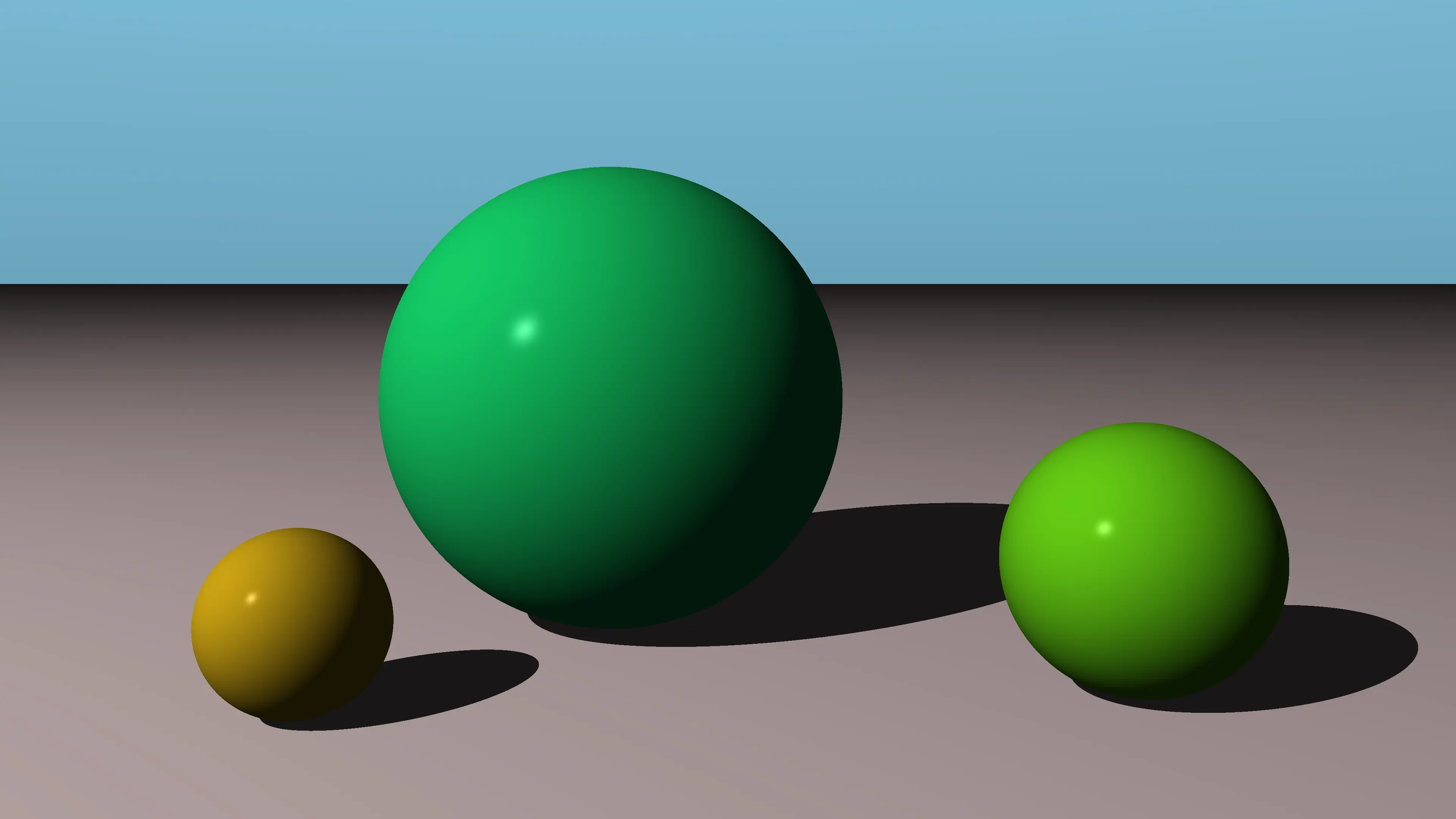
During the christmas holidays i rewrote my ray tracer for the NVIDIA CUDA architecture. CUDA is extremely powerful: with an NVIDA 285 i achieved more than 250 FPS for 640×480 pixels, 57 FPS for 1080×1030.

Compare this with a similiar ray tracer running on an Intel Core i7 920.

Compiling OpenCL programs on Mac OS X Snow Leopard

September 28th, 2009

I installed Snow Leopard on my laptop yesterday. I was very curious about OpenCL and installed the drivers and the GPU Computing SDK from NVIDIA.

I searched my hard disk after installation and found the following directory: /Developer/GPU Computing/OpenCL. Looks promising.

In the subdirectory src/oclDeviceQuery I found a basic test and I tried to compile it.

$ cd src/oclDeviceQuery
$ make
ld: library not found for -loclUtil
collect2: ld returned 1 exit status
make: *** [../../..//OpenCL//bin//darwin/release/oclDeviceQuery] Error 1

I googled for “-loclUtils”? I found nothing. “liboclUtils”? Nothing. So i found a brand new problem that is not known to mankind. Hurray. ;-)

But i remembered a similiar situation when i used the CUDA-SDK. So i searched the other directories. The solution is to create the library manually.

$ pushd ../../common/
$ make
ar: creating archive ../..//OpenCL//common//lib/liboclUtil.a
q - obj/release/oclUtils.cpp.o
$ popd

So -loclUtil should now be found. And i tried to compile again.

$ make
ld: library not found for -lshrutil
collect2: ld returned 1 exit status
make: *** [../../..//OpenCL//bin//darwin/release/oclDeviceQuery] Error 1

Aha, there’s another library missing. I tried the one in /Developer/GPU Computing/shared.

$ cd ../../../shared/
$ make
src/rendercheckGL.cpp: In member function ‘virtual bool CheckBackBuffer::readback(GLuint, GLuint, GLuint)’:
src/rendercheckGL.cpp:523: warning: format ‘%d’ expects type ‘int’, but argument 2 has type ‘GLuint’
src/rendercheckGL.cpp:527: warning: format ‘%d’ expects type ‘int’, but argument 2 has type ‘GLuint’
src/rendercheckGL.cpp: In member function ‘virtual bool CheckFBO::readback(GLuint, GLuint, GLuint)’:
src/rendercheckGL.cpp:1342: warning: format ‘%d’ expects type ‘int’, but argument 2 has type ‘GLuint’
src/rendercheckGL.cpp:1346: warning: format ‘%d’ expects type ‘int’, but argument 2 has type ‘GLuint’
a - obj/release/shrUtils.cpp.o
a - obj/release/rendercheckGL.cpp.o
a - obj/release/cmd_arg_reader.cpp.o

Back into the directory with the device query sources.

$ cd ../OpenCL/src/oclDeviceQuery/
$ make

The compilation succeeds, but where’s the executable? It is not in the current directory.

$ ls
Makefile            obj/                oclDeviceQuery.cpp

I searched the directories again and its in a bin subfolder of /Developer/GPU Computing/OpenCL

$ ../../bin/darwin/release/oclDeviceQuery

oclDeviceQuery.exe Starting...

OpenCL SW Info:

 CL_PLATFORM_NAME: 	Apple
 CL_PLATFORM_VERSION: 	OpenCL 1.0 (Jul 15 2009 23:07:32)
 OpenCL SDK Version: 	1.2.0.16
...

That’s it. OpenCL runs on my laptop. Yeah. :-)

Hyper-Threading with the Intel Core i7

June 14th, 2009

I have got a new computer. As alway i build it myself. See the following photos and note the impressive size of the cpu cooler by Noctua).


I chose the Intel Core i7, because i was very curious about it’s technical features. It has four “real” physical cores, but provides eight “virtual” cores with hyper-threading. These “virtual” cores are shown by the operating systems in their task/process managers. See the following screenshots for Windows and Linux.

    8 cores on Linux

The question i asked myself is: How do these virtual cores perform ? How many programms can i run in parallel without hurting performance ? What is the speedup ? Is it 4 ? Is it 8 ?

So I made a test. I chose a single threaded program, the ray tracer pbrt and started this program 1, 2, 3, …, 8, 9, 10 times as a process under Linux and timed the running times. Here are the results.

Number of programms Running times Speedup Explanation
1 2 3 4 5 6 7 8 9 10
1 1:18.27 - - - - - - - - - 1  
2 1:18.57 1:18.32 - - - - - - - - 1.997  
3 1:18.69 1:18.76 1:19.18 - - - - - - - 2.97  
4 1:19.62 1:21.88 1:20.12 1:19.68 - - - - - - 3.83  
5 1:54.01 1:54.38 1:53.47 1:19.33 1:54.90 - - - - - 3.41 2 cores with 2 threads each and 1 core with 1 thread
6 1:56:13 1:22.16 1:23.09 1:54.22 1:55.41 1:54.95 - - - - 4.05 2 cores with 2 threads each and 2 core with 1 thread each
7 1:53.27 1:25.28 1:53.62 1:53.92 1:56.38 1:55.49 1:54.05 - - - 4.72 3 cores with 2 threads each and 1 core with 1 thread
8 1:59.50 1:57.72 1:55.16 1:54.96 1:58.60 1:57.72 1:58.46 1:59.62 - - 5.25 4 cores with 2 threads each
9 2:08.65 2:09.34 1:59.44 2:07.06 2:00.61 2:38.73 2:02.70 2:01.40 2:10.74 - 4.45 4 cores with 2 threads each
10 2:04.29 2:23.16 2:44.80 2:09.42 2:45.95 2:16.97 2:14.71 2:10.60 2:15.10 2:09.96 4.73 4 cores with 2 threads each

For up to four programs the Core i7 behaves like a usual four core processor. These four programs can run in parallel with the same performance of about 80 seconds. The speedup is almost linear.

When more than four programs run, the processors has to run at least two threads on one core. Then two virtual processors have to share a single physical processors and the programs take about 114 seconds.

Conclusion: Hyper-threading gives us some extra computing power here. The best speedup of 5.25 was achieved with 8 programs.

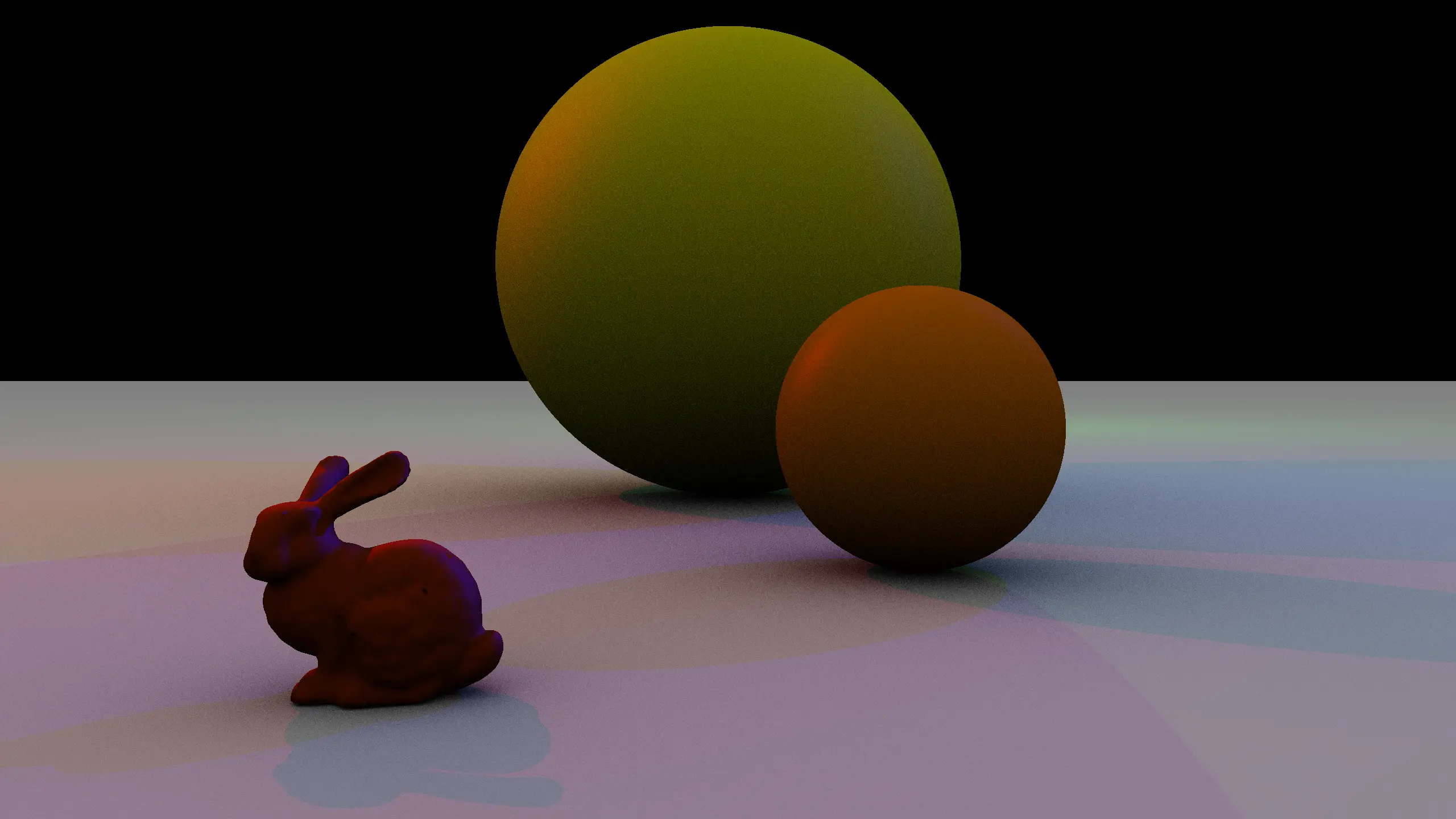
By the way: the following image was the one rendered for the benchmark. See the gallery of pbrt for more.


Parallelization with Haskell - Easy as can be

June 7th, 2009

The functional programming language Haskell provides a very easy way of parallelization. Consider the following naive implementation of the
Fibonacci function.

fib 0 = 0
fib 1 = 1
fib n = fib (n-1) + fib (n-2)

This implementation has a bad expontential time complexity, so it should be improved, for example with caching. But this is beyond the scope of this article. We just need a function that takes a while to finish.

In Haskell there are two operators that have to be used for parallelization: par and pseq. par a b is some kind of a “fork” operation: a is started in parallel and b is returned. Keep in mind that Haskell is has a lazy evaluation strategy. a is only evaluated if it is needed The function pseq a b evaluates first a then b.

Equipped with this two operations it is very easy to parallelize fib.

parfib n
| n < 11 = fib n -- For small values of n we use the sequential version
| otherwise = f1 `par` (f2 `pseq` (f1+f2)) -- calculate f1 and f2 in parallel, return the sum as the result
where
f1 = parfib (n-1)
f2 = parfib (n-2)

The code has to be compiled with the -threaded option.

ghc -O3 -threaded --make -o parfib ParFib.hs

The number of threads is specified at runtime with the -N command line option.

./parfib +RTS -N7 -RTS

On an Intel Core i7 920 this resulted in a speedup of 4.13 for n=38. This processor has four physical cores.

So this is efficient. Haskell is still one of the best programming languages.

An excercise in parallelization with the Cell Broadband Engine

May 19th, 2009

The cell broadband engine is a multi-core processor. One of the cores, the so called PPE, is a general processor that can handle I/O, memory, etc. There are 6 so called SPEs that are spezialized to number crunching. All the cores are 128-bit SIMD .

So basically there are two ways to parallelize here.

  1. Run the ray tracer on the six SPEs and merge the results.
  2. Rewrite the ray tracer to process 4 rays simultaneously using the SIMD vectors.

At the point of writing i only implemented the first point. See my homepage for details. The following film shows the ray tracer in action. The ray tracer simply splits the screen into n parts and uses an SPE for each part.

Updated version of the Dynamic Languages Shootout Game available

August 17th, 2008

I updated my contribution to the “Dynamic Languages Shootout”.

I upgraded to Groovy 1.5.6 and to Grails 1.0.3.

New version of the Dynamic Languages Shootout Game available

February 27th, 2008

I updated my contribution to the “Dynamic Languages Shootout”.

I upgraded from Groovy 1.5.1 to Groovy 1.5.4 and from Grails 1.0RC4 to Grails 1.0.1.

First tests have shown performance improvements.

New version of the library of geometric algorithms in Haskell

February 27th, 2008

Almost 10 years after the initial release, i released an updated version of the library of geometric algorithms in Haskell. It now builds with Cabal and requires the Glasgow Haskell Compiler.

Memoization in Groovy with a Decorator

February 27th, 2008

Memoization is a well known optimization technique to avoid repeated calculations. With dynamic programming languages like Groovy it is possible to extend the behaviour of an already exisiting class at runtime. In Groovy this is accomplished with the Meta Object Protocoll and its ExpandoMetaClass.

In Groovy every class has a meta class that can be changed and extended at runtime. One method of this meta class is the invokeMethod() that has the following signature.

Object invokeMethod(Object object, String methodName, Object arguments)

This method controls the calls of methods in the class. By overwriting this method one can implement memoization easily.

class MemoizationDecorator {
	static void memoizeMethods(Class clazz, Set methods) {
		Map cache = [:]
		clazz.metaClass.invokeMethod = { String name, args ->
			def key
			def result
			if (methods.contains(name)) {
				// initialise the cache
				if (!cache[name]) cache[name] = [:]
				if (!cache[name][delegate]) cache[name][delegate] = [:]
				// is there already a memoized result?
				key = args.collect { it.hashCode().toString() }.join(’-')
				result = cache[name][delegate][key]
			}
			if (null == result) {
				// if there is no result, call the method
				def method = delegate.metaClass.getMetaMethod(name, args)
				if (method) result = method.invoke(delegate, args)
			}
			if (methods.contains(name)) {
				// store the result
				cache[name][delegate][key] = result
			}
			return result
		}
	}
}

The cache cache contains the results of the previous calls. The set methods contains the name of the methods that should get memoized.

Lets write a test for this class.

class TestClass {
    int fCalls = 0
    int gCalls = 0
    int f() { fCalls++ }
    int g() { gCalls++ }
}

def m0 = new TestClass()
MemoizationDecorator.memoizeMethods(TestClass, ['f'] as Set)
def m1 = new TestClass()

m0.f() + m0.f() + m0.f() + m0.g() + m0.g() + m0.g()
assert m0.fCalls == 3
assert m0.gCalls == 3

m1.f() + m1.f() + m1.f() + m1.g() + m1.g() + m1.g()
assert m1.fCalls == 1
assert m1.gCalls == 3

The object m0 is created before the memoization decorator was called. Therefore all the three calls to the method f were executed. For object m1 the method f was called only once.

Well the observant reader will have noticed, that the results of the computations are different for m0 and m1. This is a reminder that the correctness is preserved only for purely functional methods, e. g. methods without internal state. This is not the case in our example.


Last modified: